About This Mod
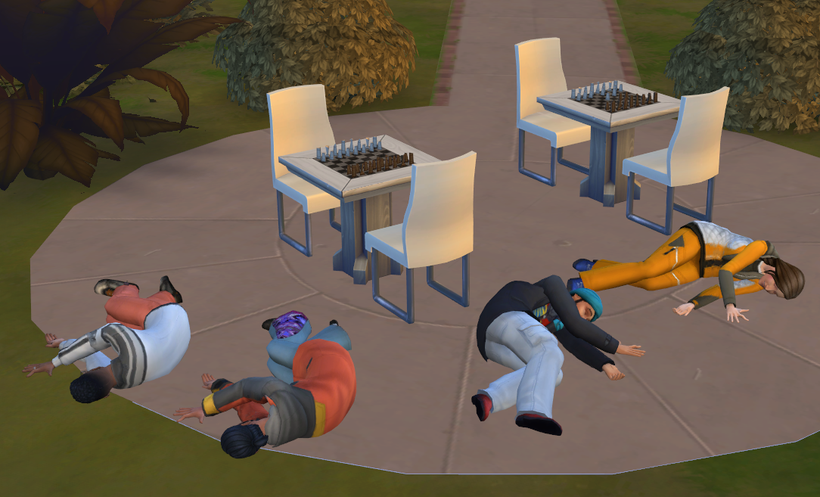
The Deadly Poisons mod introduces a dangerous new system of toxic substances and medical countermeasures to The Sims 4. Your Sims can now acquire various poisons to commit suicide or, more nefariously, to eliminate other Sims by spiking their drinks.
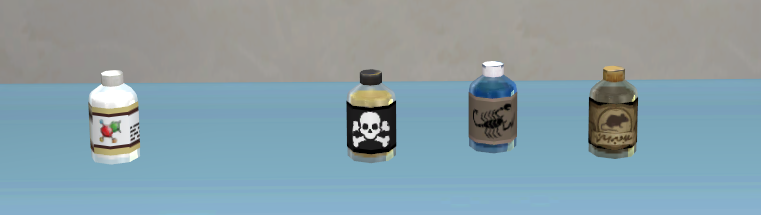
- New Poisons: Hydrogen Cyanide (instantly fatal), Rodenticide (slow and agonizing), and Scorpion Kiss (venomous solution).
- Antidotes: Phytomenadione can be used to treat rat poison, while other toxins may require magical or natural recovery.
- Drink Spiking: If a Sim has a poison bottle in their inventory, they can add it to any bar drink to poison another Sim.
Introduction of the Poisons
All poisons and antidotes can be ordered via the computer in the “Purchase Poisons & Antidotes” menu.
- Lethality: The level of lethality varies. Cyanide is instantly fatal. Rat poison causes death after minutes or hours but is often curable. Scorpion venom can sometimes be flushed out naturally or cured with a Selvadoran antidote.
- Survival Factors: Whether a Sim survives after taking an antidote depends on several factors, including age, health, and fitness levels.
- Suicide or Murder: Poisons can be consumed directly from the bottle or added discreetly to bar drinks.
Gameplay Details
- SimSim Market Integration: In future updates, these items will be included in the Purchasing Overhaul Mod / SimSim Market.
- Symptoms: Poisoned Sims suffer from severe symptoms before fate (or an antidote) decides their outcome.
- Pregnant Sims: In an optional add-on, the pregnant trait is overwritten to allow pregnant Sims to be susceptible to the poisons.